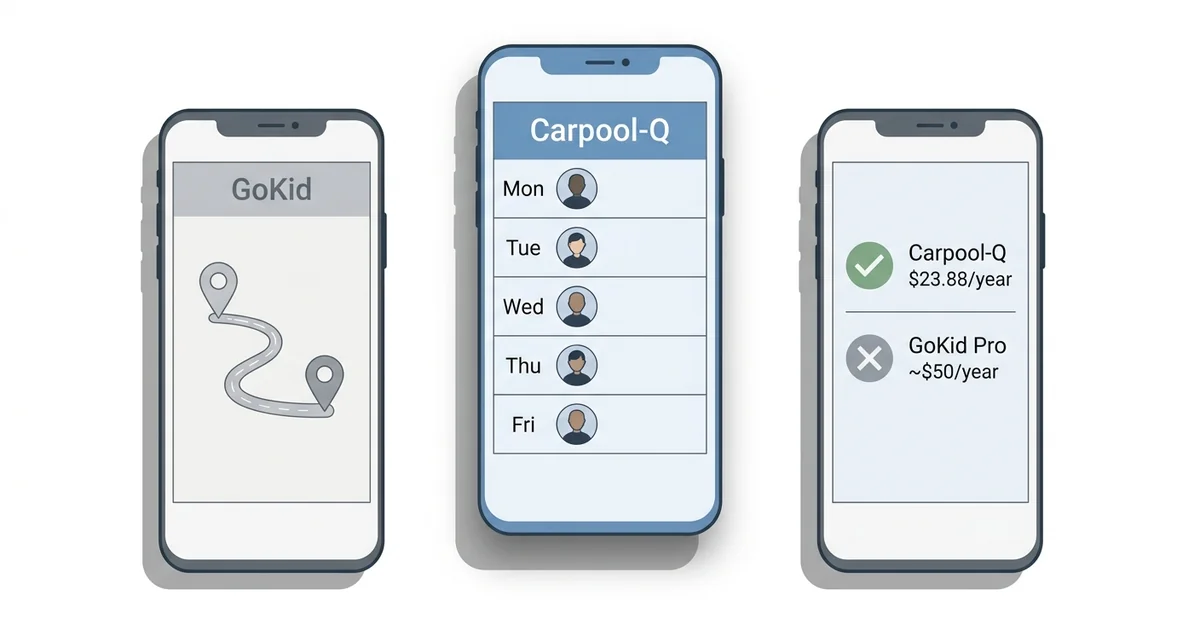
Choosing a carpool app shouldn't require a spreadsheet. But with GoKid offering multiple pricing tiers and Carpool-Q taking a flat-rate approach, the decision isn't always obvious. Both apps solve the same core problem — coordinating who drives which kids on which days — but they do it differently.
This comparison breaks down exactly what you get with each app, what you'll pay, and which one makes more sense depending on your situation. We'll be upfront: we built Carpool-Q, so we're biased. But we'll present GoKid fairly and let you decide.
Pricing: The Biggest Difference
This is where the two apps diverge most dramatically.
GoKid Pricing
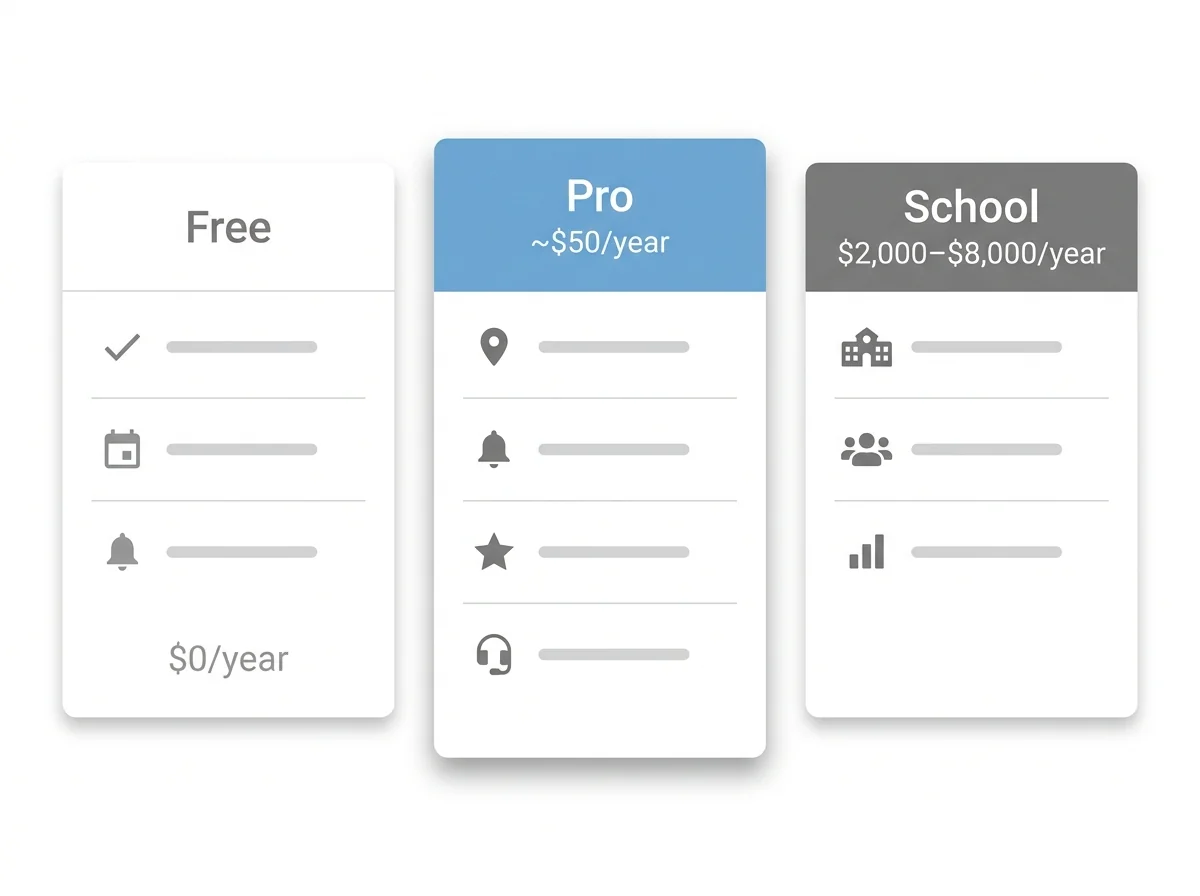
GoKid uses a tiered model:
- Free tier: Basic scheduling and routing. Limited features — no premium notifications, no advanced customization.
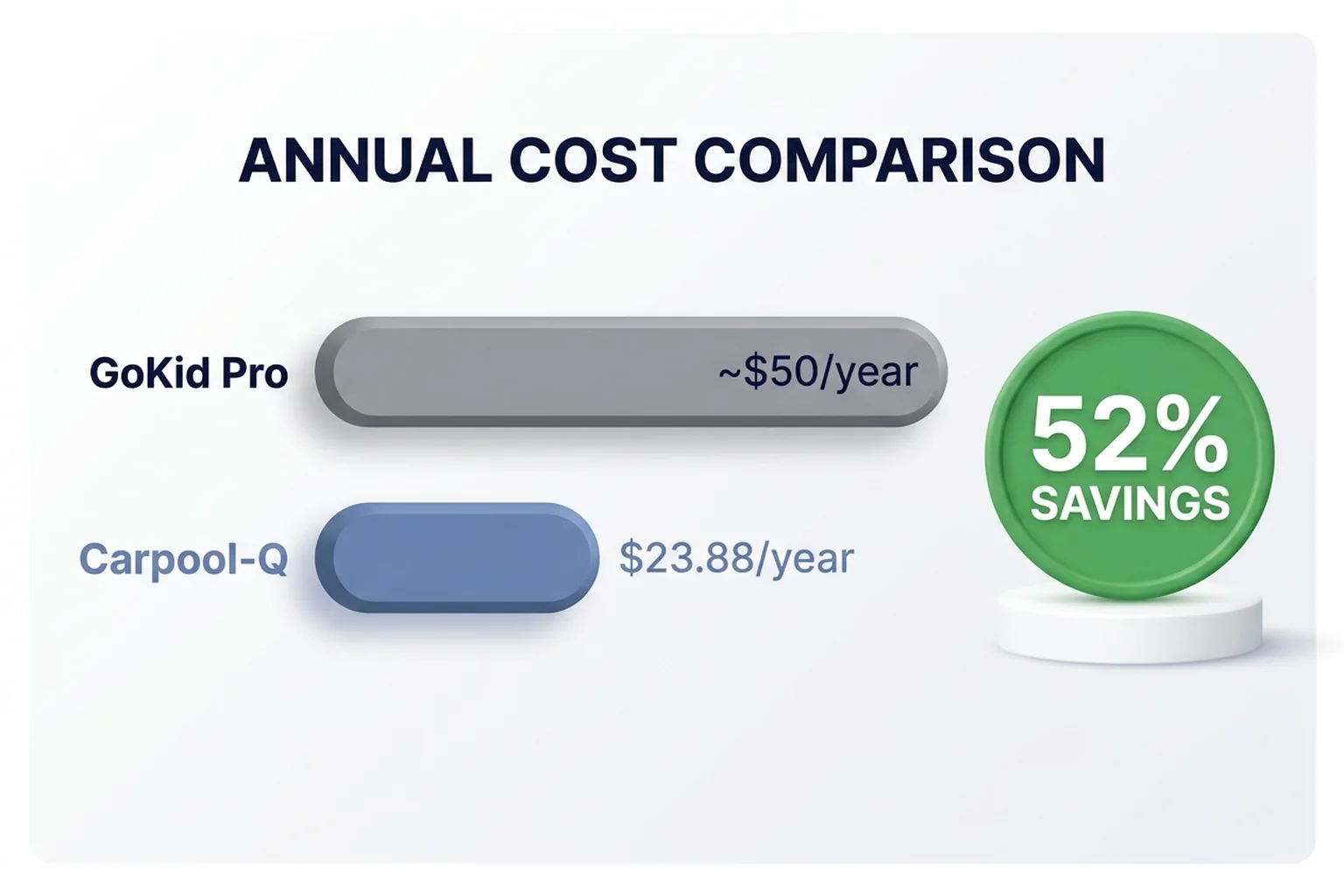
- GoKid Pro: Approximately $50/year ($4.17/month). Adds GPS tracking, custom notifications, and priority support.
- School partnerships: $2,000 to $8,000 per year. Designed for school administrators running campus-wide programs.
Carpool-Q Pricing
Carpool-Q keeps it simple:
- $1.99/month. Every feature included. No tiers.
- 14-day free trial. No credit card required.
- Family sharing included. Your spouse gets full access and your kids get view-only access at no extra cost.
Feature-by-Feature Comparison
Let's look at what each app actually does.
Shared Schedule
GoKid: Yes. GoKid provides a calendar view where you can see who's driving on each day. You can set up recurring carpools with specific days and times. Carpool-Q: Yes. Carpool-Q shows a weekly view with all drivers and times at a glance. Today's schedule is highlighted with a green accent so you immediately know what's happening now. You can switch between multiple carpools with one tap. Verdict: Both handle scheduling well. Carpool-Q's weekly view is more scannable; GoKid's calendar view works better for long-range planning.Real-Time Updates
GoKid: Changes sync across devices, but some users report delays. The app occasionally shows stale data that requires a manual refresh. Carpool-Q: Real-time sync powered by Firestore. Changes appear instantly on all devices — no refresh needed. If a parent updates Thursday's driver at 8pm, everyone sees it immediately. Verdict: Carpool-Q's real-time sync is genuinely instant. This matters most when last-minute changes happen (which, with kids, is constantly).Edit Conflict Prevention
GoKid: No built-in conflict prevention. If two parents edit the schedule at the same time, the last save wins. This can silently overwrite someone else's changes. Carpool-Q: Distributed locking system. When one parent is editing a time slot, that slot is locked for others. They can see who's editing and wait. This prevents the "who overwrote my changes?" problem that plagues shared schedules. Verdict: Carpool-Q wins clearly here. This is a technical feature that most parents don't think about until they experience the problem. GoKid simply doesn't address it.Push Notifications
GoKid: Available on Pro plan. Includes ride reminders and custom notifications. Free tier has limited notification support. Carpool-Q: Included for all users. Three types of notifications:- Driver reminders — sent before your scheduled pickup/dropoff
- Driver shortage alerts — sent at 10AM and 6PM when tomorrow needs a driver
- Daily summary — morning overview of the day's schedule
GPS Tracking
GoKid: Available on Pro plan. You can see where the driver is in real time and get ETA updates. Carpool-Q: Not yet available. GPS tracking is on the roadmap but isn't currently offered. Verdict: GoKid wins here. If real-time location tracking is essential for your peace of mind, GoKid Pro delivers it. Carpool-Q is planning to add this feature based on user demand.Family Sharing
GoKid: Each parent needs their own account. There's no concept of a household subscription or family plan. Carpool-Q: One subscription covers the whole household. Add your spouse (full editing access) and unlimited children (view-only access to see the schedule). No extra cost. Verdict: Carpool-Q's family sharing is a significant value advantage. In a GoKid setup, if both parents want full access, they both need accounts. With Carpool-Q, one $1.99 subscription covers everyone.One-Off Trips
GoKid: Supports one-time ride scheduling separate from recurring carpools. Carpool-Q: One-off trips can be added to any week for field trips, makeup practices, or schedule changes without affecting the recurring schedule. Verdict: Tie. Both handle irregular rides, just with slightly different interfaces.Platform Availability
GoKid: Native iOS and Android apps, plus a web interface. Carpool-Q: Progressive Web App (PWA). Works in any mobile browser and can be added to the home screen for a native-like experience. App Store and Google Play versions are planned. Verdict: GoKid has the edge here with native app store presence. Carpool-Q's PWA works well on phones but some parents prefer finding apps in their app store. This is a temporary gap — Carpool-Q is planning native app releases.User Interface
GoKid: Feature-rich but can feel overwhelming. Multiple screens and menus. Some app store reviews cite usability issues, particularly for less tech-savvy parents. Carpool-Q: Designed for simplicity. The main screen shows your weekly schedule immediately. Most actions take one or two taps. The tradeoff is fewer features, but the features that exist are easy to use. Verdict: Depends on your preference. GoKid offers more capabilities but with more complexity. Carpool-Q prioritizes ease of use, which matters when you need every parent in the carpool to adopt the app.Side-by-Side Summary
| GoKid Free | GoKid Pro | Carpool-Q | |
| Monthly cost | $0 | ~$4.17 | $1.99 |
| Annual cost | $0 | ~$50 | $23.88 |
| Shared schedule | Yes | Yes | Yes |
| Real-time sync | Partial | Partial | Yes (instant) |
| Push notifications | Limited | Full | Full |
| GPS tracking | No | Yes | No (planned) |
| Edit conflict prevention | No | No | Yes |
| Family sharing | No | No | Yes (included) |
| One-off trips | Yes | Yes | Yes |
| Native app | Yes | Yes | PWA (native planned) |
| Free trial | N/A | N/A | 14 days |
Who Should Choose GoKid?
GoKid is the better choice if:
- You need GPS tracking now. This is GoKid Pro's biggest differentiator. If knowing exactly where the driver is in real time is non-negotiable for you, GoKid delivers.
- You prefer native app store apps. Some parents are more comfortable downloading from the App Store or Google Play rather than using a web app.
- Your school has a GoKid partnership. If the school is already paying for GoKid, it's free for you and everyone's on it.
Who Should Choose Carpool-Q?
Carpool-Q is the better choice if:
- You want all features at the lowest price. $1.99/month with everything included is hard to argue with.
- Your carpool has two-parent households. Family sharing means one subscription covers both parents and all kids.
- You've been burned by edit conflicts. The distributed locking system is unique to Carpool-Q.
- You want something simple. If you just need to know who's driving which day and get reminded about it, Carpool-Q does that without the complexity.
- Budget matters to your carpool group. Getting every family onboard is easier at $1.99/month than $50/year.
How to Migrate From GoKid to Carpool-Q
If you've decided to switch, the process is straightforward:
- Create your carpool in Carpool-Q with the same name, schedule, drivers, and passengers
- Share the invite code with your carpool group — text, email, or just tell them at pickup
- Give everyone a week to set up their account and join
- Set a go-live date — "Starting next Monday, check Carpool-Q for the schedule"
- Optionally keep GoKid for a week as a backup, then uninstall once everyone's comfortable
Frequently Asked Questions
Is Carpool-Q as good as GoKid?
For core carpool coordination — scheduling, notifications, and real-time updates — Carpool-Q matches or exceeds GoKid's capabilities at a lower price. GoKid currently has GPS tracking, which Carpool-Q does not. Your choice depends on whether GPS tracking or pricing/simplicity matters more to you.Can I use both GoKid and Carpool-Q?
Technically yes, but it's not recommended. Having your carpool split across two apps creates confusion. Pick one and get everyone on it.Does Carpool-Q have an app I can download?
Carpool-Q is currently a Progressive Web App (PWA) that works in your phone's browser and can be added to your home screen. It looks and feels like a native app. App Store and Google Play versions are planned for 2026.Is $1.99/month really all features?
Yes. There are no tiers, no upsells, and no feature gates. Every Carpool-Q user gets the same experience. The 14-day free trial gives you full access to verify this before paying anything.What if I switch and don't like Carpool-Q?
Cancel anytime from the Settings page. You're never locked in, and there are no cancellation fees. Your access continues through the end of your billing period.Our Honest Take
We built Carpool-Q because we thought the market needed a simpler, more affordable option. GoKid is a solid product with a longer track record and features we haven't built yet (GPS tracking being the big one). If that feature is essential for your family, GoKid Pro is the right choice.
But if you want a straightforward carpool coordination app that every parent in your group can afford and actually use, we think Carpool-Q is the better value. At $1.99/month with family sharing included, it costs less than half of GoKid Pro and covers your whole household.
Try Carpool-Q free for 14 days →